



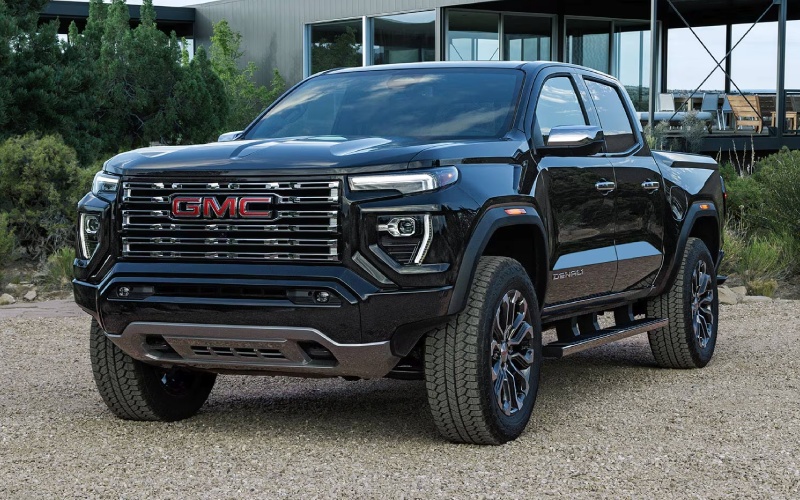
Wilcoxson GMC – Canon City, CO Drivers — Trailering and Terrain Tech Tips for the 2026 GMC Canyon
When your week swings between downtown errands, quick trips up US-50, and weekends exploring the Royal Gorge region, the 2026 GMC Canyon’s trailering and terrain tech can make a real difference. At Wilcoxson GMC, we help Canon City shoppers dial in features like up to 10 available camera views, the Off-Road Performance Display, and the ProGrade® Trailering System so the truck feels at home from day one. Below, we break down practical ways to use these systems for better visibility, smoother setup, and more confident decision-making on dirt, rock, or pavement.
Dial In Your Camera Views Before You Roll
Start with a quick walkaround of your Canyon to clear the hitch area, check your trailer coupler, safety chains, and trailer wiring. Then, in the cabin, set up Hitch View and HD Surround Vision. Hitch View centers the receiver and ball during alignment, and a quick tap to zoom can help fine-tune the final few inches. Once coupled, use Surround Vision to confirm safety chains and plug connections have the slack and routing you expect. If your route includes gravel turnouts or narrow driveways, keep Front or Rear Top-Down views handy to thread through tight spaces without guesswork.
Off the pavement, the available first-in-class underbody cameras (standard on AT4X) become a helpful “spotter.” Switch to the split-screen that shows underbody and Surround Vision together—great for aligning approach angles, placing tires on high points, and checking for obstacles that could pinch a sidewall. Because you can see front and rear beneath the truck, you’ll know what is coming and what you just cleared—useful on ledges and uneven washouts.
Make the Off-Road Performance Display Work for You
Canyon’s Off-Road Performance Display is standard across the lineup, but AT4X layers in Baja-focused metrics like G-force and wheel slip indication. Before your first trail day, spend a minute customizing what you see. On technical climbs, 3D pitch and roll help you understand your center of gravity in real time; set a personal “max score” with a comfortable buffer rather than pushing to the edge. If your tires are aired down, glance at tire pressure readings periodically—especially after long stretches of washboard or when temperatures change. You can also monitor transfer case status and steering angle to see how your inputs affect traction and turning radius on switchbacks.
On longer overland routes near Shelf Road, an altimeter and compass can help you gauge progress and stay oriented without flipping between screens. That way, your focus stays on the trail surface and line choice while the display delivers context instantly, right in your natural field of view.
Pro-Grade Trailering: Smooth Setup, Better Monitoring
Even experienced tow-ers appreciate a simpler setup. The ProGrade® Trailering System in the 2026 Canyon lets you create trailer profiles, store light check sequences, and view connected parameters in one place. Before departure, run the built-in light test so you do not have to shout signals from the driver’s seat or ask a neighbor for help. When you head east toward the plains or west into the hills, use the Driver Information Center to keep tabs on speed, stability, and alerts without diverting your attention from the road ahead.
If you regularly tow small campers or utility trailers, build a short pre-drive checklist in your trailer profile. Include tongue jack stored and locked, coupler fully seated, breakaway cable attached, safety chains crossed and secure, spare tire pressure checked, and cargo straps tightened. Over time, the routine becomes second nature—and the Canyon’s tech underscores it with visual confirmation and reminders when you want them.
Underbody Cameras and Head-Up Display: A Smart Pairing
The available 6.3-inch multicolor Head-Up Display (standard on AT4X and Denali) keeps critical info in your line of sight while the underbody cameras extend your vision beyond the hood. Use HUD to show speed and key vehicle data, then glance down to the split-screen for a composite view of what’s directly under the front or rear of your Canyon plus a 360-degree perspective. When obstacles cluster—water bars, embedded rocks, or a series of off-camber ruts—this combination helps you commit to a line with less trial and error.
On Canon City’s narrower trails, this pairing also reduces fatigue. Instead of repeatedly leaning forward or asking a passenger to watch for hidden snags, you get a stabilized view that updates in real time. Less uncertainty equals smoother driving and fewer abrupt inputs—good for your passengers and your suspension alike.
Practical Packing with the MultiStow® Tailgate
Organization matters, whether you are trailering gear to Temple Canyon Park or just making a weekend dump run. The available MultiStow® Tailgate provides integrated, drainable storage for tow straps, recovery shackles, gloves, a compact air compressor, or tie-downs. Keep heavier items in the bed forward of the axle for better weight distribution, and use the available 120-volt outlet to top off battery tools or run a low-watt work light for evening setups.
Frequently Asked Questions:
Can I rely on the underbody cameras for line choice on rocky terrain?
Use them as a supplemental guide. The cameras give you an exceptional view of what’s under and around your truck, but always confirm conditions with a quick outside check when the surface looks uncertain or visibility drops.
What trailer weights fit the Canyon’s capability best?
When properly equipped, the Canyon can tow up to 7,700 lbs. Many owners find small travel trailers, pop-ups, utility trailers, and compact toy haulers pair very well. Always verify your specific truck’s ratings and load distribution.
How should I set tire pressures for mixed pavement and dirt driving?
Follow door-jamb recommendations for highway travel; consider modest reductions when you’ll spend extended time on rough trails to improve compliance and traction. Use the Canyon’s tire pressure display to monitor changes as temperatures and terrain vary, and reinflate before extended highway speeds.
Does Head-Up Display help when towing?
Yes. It places key info in your line of sight so you can keep your eyes forward, reducing glances down to the cluster when you’re managing grades, traffic, or crosswinds with a trailer.
Canon City drivers have a uniquely varied driving day, from quick urban runs to steep canyon climbs and gravel shortcuts. With the 2026 GMC Canyon’s smart trailering tools, underbody camera views, and a driver-focused screen setup, you can make those transitions feel effortless. At Wilcoxson GMC, we are here to help you configure the exact trim and features to suit your routes—serving La Junta, Canon City, and Colorado Springs—so your truck feels tailored, not templated, from the first mile.
Request more 2026 GMC Canyon information
Connect with us

