



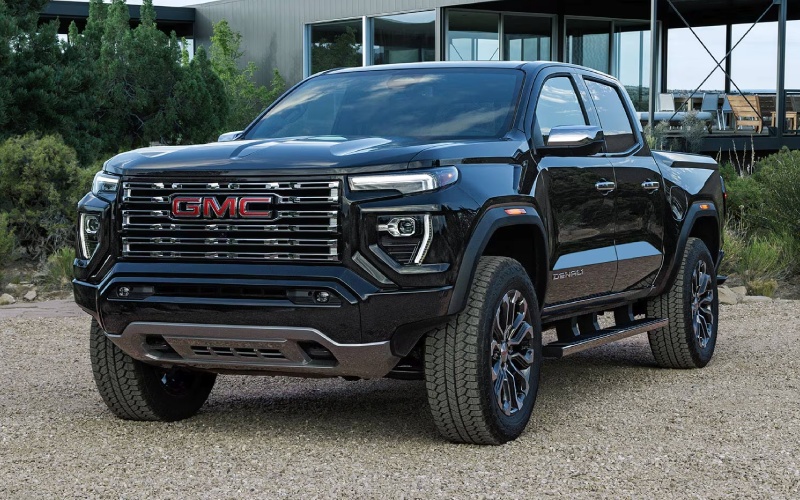
Wilcoxson GMC – Canon City, CO Drivers — Trailering and Terrain Tech Tips for the 2026 GMC Canyon
When your week swings between downtown errands, quick trips up US-50, and weekends exploring the Royal Gorge region, the 2026 GMC Canyon’s trailering and terrain tech can make a real difference. At Wilcoxson GMC, we help Canon City shoppers dial in features like up to 10 available camera views, the Off-Road Performance Display, and the ProGrade® Trailering System so the truck feels at home from day one. Below, we break down practical ways to use these systems for better visibility, smoother setup, and more confident decision-making on dirt, rock, or pavement.
Dial In Your Camera Views Before You Roll
Start with a quick walkaround of your Canyon to clear the hitch area, check your trailer coupler, safety chains, and trailer wiring. Then, in the cabin, set up Hitch View and HD Surround Vision. Hitch View centers the receiver and ball during alignment, and a quick tap to zoom can help fine-tune the final few inches. Once coupled, use Surround Vision to confirm safety chains and plug connections have the slack and routing you expect. If your route includes gravel turnouts or narrow driveways, keep Front or Rear Top-Down views handy to thread through tight spaces without guesswork.
Off the pavement, the available first-in-class underbody cameras (standard on AT4X) become a helpful “spotter.” Switch to the split-screen that shows underbody and Surround Vision together—great for aligning approach angles, placing tires on high points, and checking for obstacles that could pinch a sidewall. Because you can see front and rear beneath the truck, you’ll know what is coming and what you just cleared—useful on ledges and uneven washouts.
Make the Off-Road Performance Display Work for You
Canyon’s Off-Road Performance Display is standard across the lineup, but AT4X layers in Baja-focused metrics like G-force and wheel slip indication. Before your first trail day, spend a minute customizing what you see. On technical climbs, 3D pitch and roll help you understand your center of gravity in real time; set a personal “max score” with a comfortable buffer rather than pushing to the edge. If your tires are aired down, glance at tire pressure readings periodically—especially after long stretches of washboard or when temperatures change. You can also monitor transfer case status and steering angle to see how your inputs affect traction and turning radius on switchbacks.
On longer overland routes near Shelf Road, an altimeter and compass can help you gauge progress and stay oriented without flipping between screens. That way, your focus stays on the trail surface and line choice while the display delivers context instantly, right in your natural field of view.
Pro-Grade Trailering: Smooth Setup, Better Monitoring
Even experienced tow-ers appreciate a simpler setup. The ProGrade® Trailering System in the 2026 Canyon lets you create trailer profiles, store light check sequences, and view connected parameters in one place. Before departure, run the built-in light test so you do not have to shout signals from the driver’s seat or ask a neighbor for help. When you head east toward the plains or west into the hills, use the Driver Information Center to keep tabs on speed, stability, and alerts without diverting your attention from the road ahead.
If you regularly tow small campers or utility trailers, build a short pre-drive checklist in your trailer profile. Include tongue jack stored and locked, coupler fully seated, breakaway cable attached, safety chains crossed and secure, spare tire pressure checked, and cargo straps tightened. Over time, the routine becomes second nature—and the Canyon’s tech underscores it with visual confirmation and reminders when you want them.
Underbody Cameras and Head-Up Display: A Smart Pairing
The available 6.3-inch multicolor Head-Up Display (standard on AT4X and Denali) keeps critical info in your line of sight while the underbody cameras extend your vision beyond the hood. Use HUD to show speed and key vehicle data, then glance down to the split-screen for a composite view of what’s directly under the front or rear of your Canyon plus a 360-degree perspective. When obstacles cluster—water bars, embedded rocks, or a series of off-camber ruts—this combination helps you commit to a line with less trial and error.
On Canon City’s narrower trails, this pairing also reduces fatigue. Instead of repeatedly leaning forward or asking a passenger to watch for hidden snags, you get a stabilized view that updates in real time. Less uncertainty equals smoother driving and fewer abrupt inputs—good for your passengers and your suspension alike.
Practical Packing with the MultiStow® Tailgate
Organization matters, whether you are trailering gear to Temple Canyon Park or just making a weekend dump run. The available MultiStow® Tailgate provides integrated, drainable storage for tow straps, recovery shackles, gloves, a compact air compressor, or tie-downs. Keep heavier items in the bed forward of the axle for better weight distribution, and use the available 120-volt outlet to top off battery tools or run a low-watt work light for evening setups.
Frequently Asked Questions:
Can I rely on the underbody cameras for line choice on rocky terrain?
Use them as a supplemental guide. The cameras give you an exceptional view of what’s under and around your truck, but always confirm conditions with a quick outside check when the surface looks uncertain or visibility drops.
What trailer weights fit the Canyon’s capability best?
When properly equipped, the Canyon can tow up to 7,700 lbs. Many owners find small travel trailers, pop-ups, utility trailers, and compact toy haulers pair very well. Always verify your specific truck’s ratings and load distribution.
How should I set tire pressures for mixed pavement and dirt driving?
Follow door-jamb recommendations for highway travel; consider modest reductions when you’ll spend extended time on rough trails to improve compliance and traction. Use the Canyon’s tire pressure display to monitor changes as temperatures and terrain vary, and reinflate before extended highway speeds.
Does Head-Up Display help when towing?
Yes. It places key info in your line of sight so you can keep your eyes forward, reducing glances down to the cluster when you’re managing grades, traffic, or crosswinds with a trailer.
Canon City drivers have a uniquely varied driving day, from quick urban runs to steep canyon climbs and gravel shortcuts. With the 2026 GMC Canyon’s smart trailering tools, underbody camera views, and a driver-focused screen setup, you can make those transitions feel effortless. At Wilcoxson GMC, we are here to help you configure the exact trim and features to suit your routes—serving La Junta, Canon City, and Colorado Springs—so your truck feels tailored, not templated, from the first mile.
Request more 2026 GMC Canyon information
Smart Heavy-Duty Towing Tech for La Junta, CO — Getting More from Your 2026 GMC Sierra 2500 HD

Wilcoxson GMC – Smart Heavy-Duty Towing Tech for La Junta, CO — Getting More from Your 2026 GMC Sierra 2500 HD
If you tow regularly around La Junta, CO—think ranch trailers, equipment haulers, or a weekend fifth-wheel—dialing in the right truck tech can make every trip smoother and more predictable. The 2026 GMC Sierra 2500 HD brings a thoughtful set of towing tools that do more than add convenience. They help you plan, position, maneuver, and monitor, giving you more control when conditions change or when you are working in tight spaces off US-50. Below, we highlight smart ways to use the Sierra 2500 HD’s available camera views, In-Vehicle Trailering App, and tow-focused driver assists so your setup feels dialed on day one.
Dial in your trailer profile before you roll
Start with the In-Vehicle Trailering App. Create a trailer profile for each load—bumper-pull utility trailer, gooseneck stock trailer, travel trailer—and save details like length, connection type, tire pressure thresholds, and light-check preferences. This single step unlocks a more tailored experience across the truck’s systems. The display will recognize which trailer is connected, apply your preferred brake gain, and surface the right pre-departure checklist. For La Junta drivers who swap between work and weekend loads, having multiple profiles ready reduces setup time and lowers the chance of missing a step when you are rushing to meet a schedule.
Once your trailer profile is set, walk through the light test and tire pressure check. The system will guide you with on-screen prompts, and the Tire Pressure Monitoring (when equipped with compatible sensors) helps you spot issues before you head east or west on US-50. If you share towing duties, these built-in routines also serve as training wheels for a newer driver—everything is structured, visible, and repeatable.
Use camera views to position with less stress
Up to 14 available camera views on the Sierra 2500 HD support hitching, lane changes, and low-speed maneuvers. When backing to a bumper-pull, the Hitch View aligns the receiver and ball with simple on-screen guidance. Switch to Bed View when coupling a gooseneck—seeing the pin box and safety chains reduces trial-and-error, and the on-screen overlay helps you gauge distance without a spotter. Around town, HD Surround Vision gives a composite top-down perspective to help you visualize curbs, obstacles, and building corners—handy in older downtown blocks where angles and clearances can be tight.
On the highway, available Transparent Trailer View is one of those features you quickly learn to rely on. It stitches together multiple camera feeds to present a near see-through look behind the trailer so you can better evaluate merging gaps and lane positioning. That can be a confidence boost when you are dealing with wind gusts along open stretches between La Junta and Pueblo. And on surface roads—say, turning across traffic into a field access—Trailer Side Blind Zone Alert (when equipped) can flag passing vehicles that might be hidden by your trailer.
Make the most of Tow/Haul, brake gain, and grade support
Tow/Haul mode does more than hold gears. In the Sierra 2500 HD, it adjusts shift mapping to keep the engine in a stronger portion of its power band and can work in concert with the integrated Trailer Brake Controller. After you load and weigh your trailer, fine-tune brake gain on a short practice run. You are aiming for steady, proportional braking where the truck and trailer feel like a single unit—especially valuable when decelerating toward a two-lane intersection or rolling into town.
Heading west toward elevation or crossing the Arkansas River valley, you will appreciate the truck’s grade logic. On downhill stretches, Tow/Haul mode can assist with engine braking, reducing reliance on the service brakes and helping manage temperature. On the climb, the available Duramax® 6.6L Turbo-Diesel V8 (470 hp and 975 lb-ft of torque) partners with the 10-speed automatic to maintain momentum without frequent, high-rpm shifts. If your towing varies—hay one day, a camper the next—the Sierra’s consistent, predictable behavior becomes a real difference-maker over time.
Six-function MultiPro™ Tailgate: small details, real gains
At first glance, a six-function tailgate might sound like a convenience extra. In daily use, the MultiPro™ Tailgate pays dividends—especially when you are loading heavy tools or feed. The inner gate can drop independently to reduce reach, the built-in load stop keeps longer materials from sliding out, and the integrated step with handle makes climbing into the bed easier at the end of a long day. When you are sorting gear or setting tools, that stable work surface is simply practical. It is the kind of flexibility that keeps you working smarter, not harder, whether you are on a dirt lot off CO-109 or a paved driveway in town.
Choose the right powertrain for your route mix
The 6.6L gas V8 is a confident all-rounder, ideal if your towing loads vary and you split time between job sites and errands. For consistent heavy towing—stock trailers, equipment, fifth-wheels—the available Duramax® 6.6L Turbo-Diesel V8 adds low-rpm muscle and long-haul composure. Because both pair with a 10-speed automatic, shift feel is refined and predictable across the lineup. If you run US-50 frequently and battle strong crosswinds in open country, that stable, torque-rich feel can help reduce driver fatigue by keeping shifts and acceleration more consistent.
Practical setup tips that pay off
- Hitch height: Level the trailer using measured coupler and receiver heights with your typical load in the bed—minimize squat for better stability.
- Tire pressures: Use the trailer’s recommended cold PSI, then track pressures in the Trailering App when equipped with compatible sensors.
- Mirror position: Set towing mirrors so you can just see the trailer sides and a buffer of adjacent lane; confirm with the first on-ramp acceleration.
- Checklists: Save pre- and post-trip lists in the truck—over time, your routine becomes automatic, even in a hurry.
Smart towing is not just about the big specs. It is about small, repeatable habits supported by technology that streamlines your routine. Set your profiles, use the views that fit your trailer and site, and let the Sierra 2500 HD do what it is designed to do—bring more consistency to days that do not always go as planned.
Frequently Asked Questions:
Can the Sierra 2500 HD monitor trailer tire pressures?
When properly equipped with compatible trailer tire pressure sensors and configured in the In-Vehicle Trailering App, the Sierra 2500 HD can display trailer tire pressures and warn of low-pressure conditions.
How many camera views are available?
Depending on configuration and options, Sierra 2500 HD offers up to 14 available camera views, including Hitch View, Bed View, HD Surround Vision, and Transparent Trailer View.
Does Tow/Haul mode help on downhill grades?
Yes. Tow/Haul adjusts shift strategy and can support engine braking on descents to help manage speed and reduce brake wear, especially useful on rolling terrain west of La Junta.
Which powertrain is best for frequent heavy towing?
The available Duramax® 6.6L Turbo-Diesel V8 is a strong choice for consistent heavy loads thanks to its torque and 10-speed pairing. The 6.6L gas V8 is a capable, durable all-rounder.
If you are mapping out your setup or weighing gas vs. diesel, our team is happy to walk through real-world scenarios around La Junta and along US-50. We can help you configure camera systems, trailering profiles, and the right hitching so your Sierra 2500 HD feels sorted from your very first haul. Wilcoxson GMC is proud to be part of the Southern Colorado community, serving La Junta, Canon City, and Colorado Springs with guidance rooted in local roads and real use.
Request more 2026 GMC Sierra 2500 HD information
Parking Made Simple around Canon City, CO — How the 2026 GMC Yukon’s Camera Views and Driver Aids Work

Wilcoxson GMC – Parking Made Simple around Canon City, CO — How the 2026 GMC Yukon’s Camera Views and Driver Aids Work
If you’ve ever eased a full-size SUV into a narrow spot near the Royal Gorge Route Railroad depot or navigated crowded trailhead lots outside Canon City, CO, you know how valuable clear visibility can be. That’s where the 2026 GMC Yukon’s camera and driver-assistance technologies shine. This SUV takes the stress out of slow-speed maneuvering with HD Surround Vision, an available Rear Camera Mirror, and—on select trims—up to 13 available camera views that show more of what’s happening around your vehicle. It’s practical confidence you’ll appreciate on every errand, outing, or family getaway.
What HD Surround Vision Shows You
HD Surround Vision uses multiple exterior cameras to generate a top-down view around your Yukon. Park near downtown Canon City restaurants or parallel park on a busy block and you’ll see the area near your wheels and bumpers, helping you judge clearance with ease. The system’s clarity and responsiveness are especially helpful when curbs, bikes, or planters are close by. Combine this with audible alerts, and you’ll quickly sense how the Yukon helps you keep minor scuffs off the schedule.
On higher trims, camera coverage expands. The Yukon can offer angles that show front and rear views, side views, and a composite bird’s-eye perspective for nuanced maneuvering. It’s a difference you notice right away—your inputs feel more deliberate because you see the obstacles that used to be hidden by bodywork or blind spots.
Up to 13 Available Camera Views — Why That Matters
Large SUVs benefit from multiple vantage points. Backing into a spot near a trailhead or aligning a cargo trailer gets simpler when you can switch among views tailored to the task. Some of the most useful perspectives include front and rear views, surround view, and enhanced angles that show curbside proximity as you ease into position. While the exact view set varies by trim and equipment package, the broader takeaway is consistent: the Yukon’s camera system gives you more information, more quickly. You spend less time inching back and forth and more time enjoying the drive or the destination.
Canon City-area drivers also appreciate how this camera coverage helps with tight residential driveways and angled parking found at local shops. Whether you’re backing out with kids playing nearby or slipping into a spot next to a high curb, seeing more of your surroundings right on the display turns careful maneuvering into a more confident routine.
Rear Camera Mirror — A Smarter Look Back
The available Rear Camera Mirror replaces the traditional reflection with a live video feed. If cargo or taller passengers block the back window, the camera mirror shows a wide, bright view behind the Yukon. The result is fewer head-tilts and shoulder checks to work around a packed third row. It’s particularly useful after a grocery run at busy times or when your weekend gear fills the cargo hold. With the flip of a tab, you can toggle between a standard mirror and the camera display, so you choose the view that suits the moment.
Head-Up Display and Driver Information Center — Eyes Forward
Parking and slow-speed tech are one side of the equation; staying focused during the rest of your drive is another. Yukon’s available 15-inch Head-Up Display projects key info onto the windshield to help keep your eyes up and forward on US-50. Pair it with the 11-inch digital Driver Information Center on select trims and you get crisp, configurable readouts without clutter. The net effect is less time glancing around the cabin and more time absorbing what’s unfolding on the road—important when traffic ebbs and flows near school zones or construction areas.
- Visibility aids: HD Surround Vision and available Rear Camera Mirror expand your view
- Flexible angles: Up to 13 available camera views support parking and trailer alignment
- Driver focus: Available Head-Up Display and digital Driver Information Center reduce distraction
- Parking support: Available automated parking assistance can help in tight spots
These tools work together to create a friendlier big-SUV experience. Instead of treating tight lots like a chore, you glide through them with a blueprint of your surroundings and helpful alerts if you’re drifting too close for comfort.
Real-World Canon City Scenarios
Picture a weekend morning at a popular trailhead. Vehicles line both sides of a dirt access road, and your open slot has rocks on one edge and a steep drop on the other. Using surround view and side camera angles, you position the Yukon neatly with clear awareness of each boundary. Or think about a grocery run when the lot is packed—Rear Camera Mirror shows you what’s behind even if the cargo area is full. These are the little wins that add up to an easier, more confident day behind the wheel.
For families who split time between Canon City, Florence, and Pueblo, the Yukon’s camera suite simply scales with your routine. Whether you’re parking for a school event or pulling into a tight garage at home, the SUV’s visual tools and cues remove guesswork.
Frequently Asked Questions:
Do all 2026 GMC Yukon trims include HD Surround Vision?
HD Surround Vision is widely available across the Yukon lineup and is standard on many configurations. Higher trims add more camera views and features. We can help you confirm the exact camera coverage on the specific Yukon you’re considering.
How does the Rear Camera Mirror differ from a backup camera?
A backup camera activates in reverse and typically shows the area directly behind the vehicle. Rear Camera Mirror can display a continuous, wider rear view as you drive forward, which is especially helpful when cargo or passengers limit mirror visibility.
Is automated parking assistance available on the 2026 Yukon?
Yes—select trims offer available automated parking assistance features that can help steer into parallel and perpendicular spaces. Pairing this with HD Surround Vision and multiple camera views creates a highly supportive parking experience.
Can the Yukon’s cameras help with trailer hookups?
Yes—available views can assist with lining up a hitch and monitoring surroundings while maneuvering. The multi-angle coverage helps you see more of the area near the hitch point for smoother alignment.
When you’re evaluating a full-size SUV for Canon City streets and scenic detours, parking and low-speed confidence matter just as much as long-haul comfort. The 2026 GMC Yukon excels at both. Its advanced camera views, HD Surround Vision, available Rear Camera Mirror, and optional automated parking assistance take the anxiety out of big-SUV maneuvering—so you can focus on the drive and your destination. Wilcoxson GMC is proud to be serving La Junta, Canon City, and Colorado Springs, and we’re happy to walk you through camera packages on the exact Yukon you’re considering.
If you’d like to see these features in action, plan a visit and bring a real-world challenge—tight garage, angled street spot, or a mock trailer alignment. We’ll help you explore camera modes, demonstrate the difference the Rear Camera Mirror makes, and show how the Head-Up Display and digital gauges keep the rest of your drive calm and composed. With the right trim and equipment, the 2026 Yukon turns parking from a puzzle into a routine you can master in a few taps.
Request more 2026 GMC Yukon information
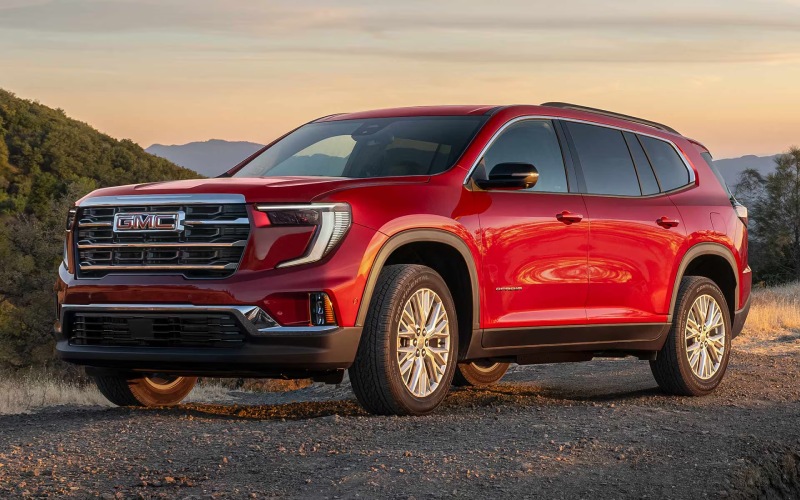
Wilcoxson GMC – 2026 GMC Acadia Smart Space and Hands-Free Confidence for La Junta, CO Drivers
If you spend time on US-50 or cruise between neighborhoods around La Junta, the 2026 GMC Acadia lines up neatly with what families and active households need: genuine three-row space, intuitive tech, and confidence-inspiring driver assistance. This is an SUV built to manage the details—getting kids to practice, loading up for a weekend out near John Martin Reservoir, or making a longer round trip for school events—with helpful visibility, flexible seating, and modern connectivity in every row.
What Makes the 2026 GMC Acadia’s Cabin So Easy to Live With
Start with space that actually works. The Acadia’s flexible seating can accommodate up to eight, and the second-row captain’s chairs—if you choose them—make it simpler for kids to get to the third row without folding seats every time. Thoughtful storage solutions, from the front console to side bins and underfloor cargo areas, help tame clutter during busy midweek routines. The load floor is designed for real-world gear: strollers, sports bags, or a pair of folding chairs and a cooler for sunset meetups with friends. You feel the benefit in the first week of ownership.
Then there’s the technology you touch and see every day. The large center display simplifies everything from navigation to phone calls to music, and Google built-in compatibility means many drivers will feel at home right away. The digital Driver Information Center ahead of the steering wheel offers crisp, customizable data—ideal for quickly checking directions or driver-assist status without hunting through menus.
Tech That Lightens the Mental Load
A great SUV reduces friction in the week. That is where the 2026 Acadia shines. The available hands-free liftgate is perfect when your arms are full of groceries, and multiple USB ports distributed through the rows help keep tablets and phones charged without a cable hunt. Available premium audio fills the cabin with balanced sound, and the optional panoramic sunroof adds a bright, open feel that passengers appreciate on longer routes.
For families who put a lot of miles on the odometer, available Super Cruise hands-free driver assistance technology on compatible roads is a genuine quality-of-life tool. It supports hands-free driving on thousands of miles of mapped roadways, helping reduce fatigue on those open stretches to and from Pueblo or even farther weekend trips. It is not a replacement for attentive driving, but it does add a layer of ease during steady cruising.
Driving Confidence Around La Junta
Road conditions vary around La Junta—from smooth highways to gravel county roads—and the Acadia is up for it. The turbocharged engine delivers easy passing power, while the available all-wheel drive system helps you stay composed when pavement ends near trailheads or when rain leaves dust slick on the surface. If you choose the AT4 trim, you will add trail-focused hardware and tuning that boost confidence on light off-pavement adventures, without sacrificing the comfort and quiet that make school-day chat or phone calls stress-free.
Driver-assistance and safety technology play just as big a role. Standard GMC Pro Safety features help you maintain awareness day to day with tools such as Automatic Emergency Braking and Lane Keep Assist with Lane Departure Warning. Available upgrades expand that support, including High Definition Surround Vision to illuminate low-speed maneuvers, and advanced parking assists that reduce the tension of pulling into a tight spot along 1st Street.
Daily Usability Highlights
- Flexible seating: Up to eight passengers or second-row captain’s chairs for easy third-row access
- Big display: A large center screen with Google built-in compatibility keeps tasks intuitive
- Hands-free help: Available hands-free liftgate makes cargo loading simpler
- Premium touches: Available panoramic sunroof and Bose 16-Speaker Performance Series audio
- Confidence aids: Available Super Cruise hands-free driver assistance technology on compatible roads
These are the kinds of features you notice and appreciate every day, not just during a test drive. That is especially true if you shuttle multiple passengers or split your time between in-town errands and open-road drives across the plains.
Which Trim Fits Your Routine
All four Acadia trims share core strengths—space, technology, and an easygoing ride quality—so your decision comes down to where you want to prioritize. Elevation is a smart, well-equipped entry point, while AT4 layers on rugged design cues and capability enhancements for light off-pavement confidence. Denali introduces a more luxurious look and feel with leather-appointed seating and signature exterior details. Denali Ultimate sits at the top, with an exclusive interior and features such as Woodland Mahogany full-leather massaging front seats and a Bose 16-Speaker Performance Series sound system. If hands-free driving on compatible roads is high on your wish list, check availability on select upper trims.
For many La Junta families, Elevation or Denali will tick the most boxes. If you regularly head for fishing spots or trailheads off the main routes, AT4 is worth a close look. And if you want the most premium, serene ride for long highway travel, Denali Ultimate sets the tone with distinctive design and comfort-forward features.
Frequently Asked Questions:
Does the 2026 GMC Acadia seat three across in the second row?
Yes, with the standard bench you can seat three across in the second row for up to eight total passengers. If you prefer easier third-row access, consider the available second-row captain’s chairs.
Is Super Cruise available on every Acadia?
Super Cruise hands-free driver assistance technology is available on select trims. Check current availability and equipment details for the configuration you are considering.
How does the Acadia handle gravel or unpaved roads near La Junta?
The Acadia’s available all-wheel drive, drive modes, and chassis tuning help it feel composed on uneven surfaces. The AT4 trim adds trail-focused design and hardware for additional confidence off the pavement.
What kind of cargo flexibility can I expect with all three rows up?
You will find generous space behind the third row for everyday items—like sports bags, groceries, or a stroller—and the load floor is designed to make packing and unloading straightforward.
For drivers who want an SUV that eases the busy rhythm of the week while still feeling special for longer highway drives, the 2026 GMC Acadia is a natural fit. It blends calm ride quality with technology that is genuinely useful, not just showy, and it provides meaningful safety and driver assistance for family travel. Wilcoxson GMC is serving La Junta, Canon City, and Colorado Springs with a selection of trims and options so you can tailor the right balance of capability, comfort, and convenience for your routine.
Request more 2026 GMC Acadia information
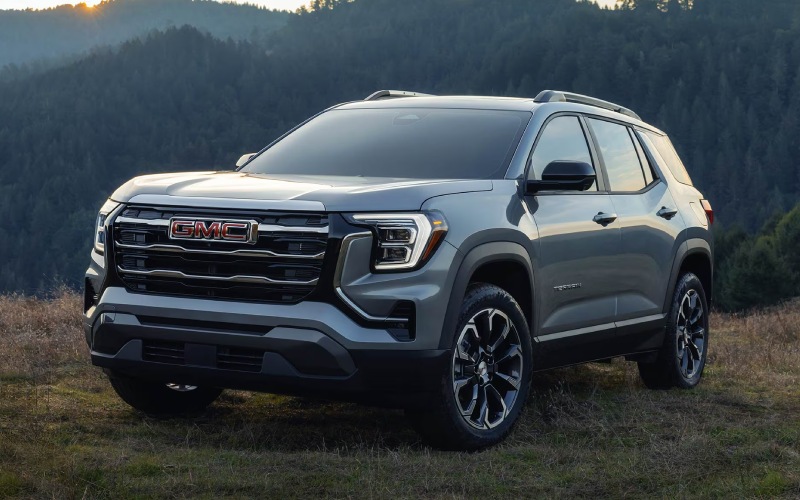
Wilcoxson GMC – Big-Screen Confidence for La Junta, CO Drives — How the 2026 GMC Terrain’s 15-inch Display and Smart Visibility Help Every Day
The 2026 GMC Terrain pairs everyday practicality with technology that changes how your drive feels—especially around La Junta, where quick trips along US-50, school pickups near Otero College, and weekend runs out to the county line demand clarity and low-stress maneuvering. Two features sit at the heart of that experience: the 15-inch diagonal Premium GMC Infotainment System and the available visibility suite with High Definition Surround Vision and Rear Camera Mirror. Together, they shorten your learning curve in a new SUV, help you make faster, safer decisions, and make tight parking less of a chore.
Let’s unpack how these systems work in real life. Oversized screens are not just about looking impressive. They reduce eye strain and make on-screen targets easier to tap. Meanwhile, camera-based visibility steps in the moment your sightlines are compromised—think tall cargo in the back or an angled spot in a crowded lot. The Terrain’s setup feels thoughtfully integrated, so you are not juggling menus or wondering which camera you need. It all comes together where it matters most: while you drive.
What the 15-inch Premium GMC Infotainment System Does for You
A larger canvas changes how you use your vehicle’s technology. The Terrain’s 15-inch diagonal display presents maps, media, and settings with room to breathe, reducing the need to hunt through small icons. Pair that with a responsive interface and you get a screen that looks modern and behaves predictably—ideal when you just want to set a route to Bent County Fairgrounds or queue up a podcast before the trip home.
Compared with smaller displays, the difference is especially clear during split-screen moments. Want to keep navigation visible while scrolling playlists or managing a call? The extra real estate helps you stay on task without crowding the critical info you rely on.
Set Up Your Connected Drive in Minutes
- Pair your phone: Open Bluetooth on your device, search for your Terrain, and accept pairing prompts.
- Customize profiles: Create a driver profile, then set display preferences, favorites, and seat settings.
- Map your go-to spots: Save frequent destinations—home, work, the gym—so route guidance is two taps away.
- Streamline audio: Build quick-access media favorites and organize them into tiles you can recognize at a glance.
Once you have the basics in place, the system feels like a natural extension of your routine. That is the quiet power of a great interface: it fades into the background so you can focus on the drive.
High Definition Surround Vision in Tight Spots
La Junta’s downtown grid makes parking convenient, but parallel spaces and angled slots can still be tricky when visibility is limited. With available High Definition Surround Vision, the Terrain stitches together camera views to show a composite, top-down perspective of your SUV and its surroundings. You can see curbs, lines, and adjacent vehicles as you inch into a space, making it easier to align without guesswork. Because the image quality is sharp, you can rely on subtle details—like a low concrete stop you might otherwise miss.
Just as helpful: you can toggle different camera views when you need a more targeted angle. That flexibility reduces the back-and-forth that makes parking frustrating, especially when traffic is moving around you.
Rear Camera Mirror Adds Confidence When Cargo Blocks Your View
There are times when a traditional mirror is not enough—passengers, tall gear, or even headrests can make your rear window feel smaller than it is. The available Rear Camera Mirror replaces the live reflection with a real-time video feed, providing a wider, less obstructed look at what is behind you. On a two-lane pass or when merging back onto US-50, that additional clarity can help you judge closing speeds and lane gaps more accurately. It is a simple upgrade that quickly becomes something you do not want to live without.
Because the system uses a dedicated camera, your view stays consistent even in low light or when the rear glass gets dusty. You can switch between regular and camera mirror modes instantly to match your preference.
AT4-Ready Awareness on Unpaved Detours
If your daily routine includes county roads or unpaved detours, the Terrain AT4’s hardware pairs nicely with your visibility tools. Off-road-tuned suspension and all-terrain tires add composure, while the front skid plate and steel underbody shield provide extra protection. With camera views helping you navigate tighter turnarounds or parking near trailheads, you get a fuller picture of your surroundings before you commit. The result is less second-guessing and more of the confident feel you want from a small SUV built to handle more than city streets.
That blend—durable hardware plus real-time camera support—makes the Terrain feel equally at home cruising through town or stretching its legs when the pavement ends.
Everyday Wins You Will Notice Right Away
- Less distraction: Larger icons, clearer menus, and a bright display reduce fumbles while driving.
- Easier parking: High Definition Surround Vision offers a helpful top-down view for angled or parallel spots.
- Better rearward awareness: Rear Camera Mirror minimizes obstruction from passengers or cargo.
- Tailored comfort: User profiles keep your preferred layout, audio favorites, and settings ready.
These are small improvements that add up quickly—especially if you are in and out of the SUV multiple times a day. When tech removes friction, you feel more relaxed and ready for whatever is next.
Frequently Asked Questions:
Does the 2026 GMC Terrain include a digital driver display?
Yes. Terrain features an 11-inch diagonal Driver Information Center that presents key information so you can keep your eyes forward and your hands on the wheel.
Is a 360-degree-style camera system available?
The available High Definition Surround Vision provides a composite view around the vehicle to help with low-speed maneuvering and tight parking.
How does the Rear Camera Mirror differ from a regular mirror?
Instead of reflecting through the rear glass, it uses a camera feed to provide a wide, clear view behind the vehicle—helpful when passengers or cargo block your line of sight.
Which Terrain trim should I choose for unpaved county roads?
Consider the AT4. It adds an off-road-tuned suspension, all-terrain tires, a front skid plate with steel underbody shield, and an AT4-exclusive Terrain drive mode to bolster control at low speeds.
If you would like a hands-on demo of the 15-inch display and the available visibility features, our team can set up a personalized walk-through and short drive route that reflects your daily routine. At Wilcoxson GMC, we take time to tailor recommendations so your Terrain feels customized from day one—serving La Junta, Canon City, and Colorado Springs.
Request more 2026 GMC Terrain information
Smarter Cabin Tech for Colorado Springs, CO Drives — Making the Most of the 2026 GMC Sierra 1500
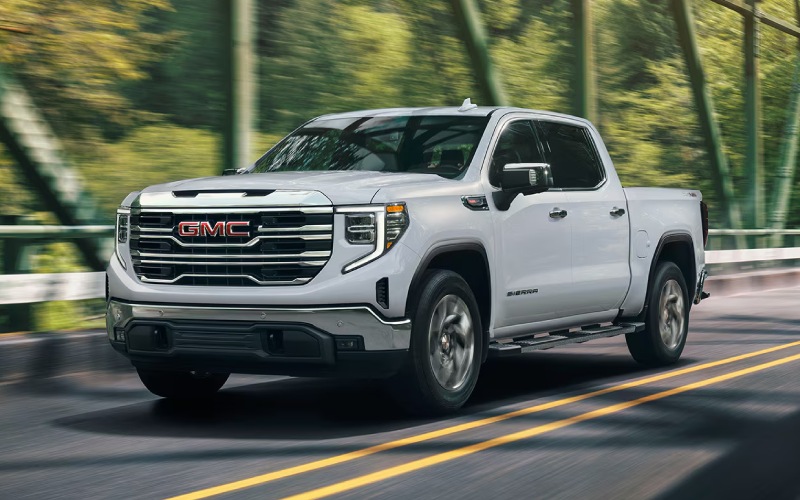
Wilcoxson GMC – Smarter Cabin Tech for Colorado Springs, CO Drives — Making the Most of the 2026 GMC Sierra 1500
The 2026 GMC Sierra 1500 gives drivers in Colorado Springs a digital cockpit that is both intuitive and genuinely helpful on fast-changing commutes. The combination of the 13.4-inch Premium GMC Infotainment System with Google built-in compatibility and the 12.3-inch Driver Information Center creates a three-screen experience—when paired with the available 15-inch multicolor Head-Up Display—that reduces distraction while elevating awareness. If you split time between morning runs along I-25, mid-day parking in Old Colorado City, and afternoon pickups on Academy Boulevard, the Sierra 1500’s interface feels like a co-pilot that keeps you a step ahead without getting in the way.
How the Screens Work Together Day to Day
Start with the center touchscreen. With Google built-in compatibility, you can use your voice to set a destination, pull up alternate routing around construction zones, or find a nearby coffee stop before your next meeting. That frees your hands and shortens the time your eyes are away from the road. The 12.3-inch Driver Information Center places critical data directly in the cluster—tire pressures before a quick climb toward the Air Force Academy, active driver-assistance status, or a clean, minimal layout for nighttime drives after a Switchbacks match. Add the available 15-inch multicolor Head-Up Display and core info like speed, turn-by-turn prompts, and safety alerts stay in your line of sight, which can be particularly reassuring on winding sections near Garden of the Gods or when traffic ebbs and flows on the fly.
What stands out is how seamlessly these displays coordinate. Navigation guidance lives where it makes the most sense—map detail on the center screen, next turn and lane guidance in the cluster or projected on the windshield—so you are not hunting for information. The result is less mental load and more focus on what is happening around you.
Wireless Integration That Feels Truly Wireless
Modern commuting often means juggling multiple devices. The Sierra 1500’s wireless phone projection keeps your compatible Apple CarPlay or Android Auto apps neatly connected without a tangle of cables. You hop in, your phone pairs, and your playlists, podcasts, and messages are in the same place you left them. It is a small detail until you experience a week without plugging in and realize how much smoother short, frequent stops become around Colorado Springs.
Beyond music and maps, the voice-forward approach shines. You can send a quick message, change your route, or search for a hardware store without looking down. In traffic where brake lights appear unexpectedly on I-25, that difference matters. Pair this with available Bose audio for clear calls and rich sound, and you get a cabin that acts as a relaxed, capable workspace between stops.
Trailering and Camera Tools That Simplify More Than Just Towing
Even if you do not tow every week, the Sierra 1500’s available ProGrade® Trailering System and integrated camera views add value in daily life. The in-vehicle Trailering App lets you set up trailer profiles and run checklists, but it also helps when you just need precise guidance while backing into a compact driveway in the Westside neighborhoods. Available High Definition Surround Vision can stitch together multiple camera views for a bird’s-eye perspective that takes the stress out of tight spots. If you do tow a small camper toward Mueller State Park or a utility trailer for home projects, these tools make hitching and monitoring feel more deliberate and less like trial and error.
And if longer distances are part of your routine, available Super Cruise® hands-free driver assistance on compatible roads adds another layer of ease. On stretches of I-25 where the system is supported, the Sierra 1500 can handle steering, braking, and acceleration under your supervision. When properly equipped, it is also designed to work while trailering on compatible routes, which can reduce fatigue during weekend hauls north toward Monument or south toward Pueblo.
Comfort and Control for the Front Range
Tech is only as good as the environment around it. The Sierra 1500’s seating choices—including available heated and ventilated fronts and, on Denali Ultimate, 16-way massaging front seats—help keep you fresh through longer days that start downtown and end with a grocery run in Briargate. Simple touches like a heated steering wheel, physical volume and climate controls, and thoughtfully placed storage make the cabin welcoming without asking you to relearn the basics.
Pair that with the Sierra 1500’s Selectable Traction Modes and, on Denali, Adaptive Ride Control, and you have a truck that can transition from smooth highway composure to more controlled travel on less-than-perfect side streets near Palmer Park. It is the right blend for a city where commutes vary from wide thoroughfares to neighborhood routes with frequent stops.
Which Trims Bundle the Right Tech?
If you are prioritizing the full-screen experience, SLE and up bring the 13.4-inch touchscreen and 12.3-inch Driver Information Center into play. Elevation adds a distinctive look with available Bose audio, while SLT layers in V8 power and upscale appointments. For hands-free capability and the most luxurious take on the Sierra 1500’s tech suite, Denali and Denali Ultimate offer Super Cruise® availability and premium materials that elevate every mile.
Every configuration benefits from the thoughtful integration of controls, clear menu structures, and steady performance across the system. That means even a quick adjustment—like switching audio sources or pulling up a camera view—feels second nature after a short time in the driver’s seat.
Answers to Common Colorado Springs Questions
Can I customize what appears in the Driver Information Center?
Yes. You can choose from display themes and select which metrics appear, letting you prioritize navigation prompts, driver-assistance status, efficiency details, or a simplified view for nighttime driving.
Does Google built-in require me to abandon my phone apps?
No. You can use Google built-in compatibility for native navigation and voice assistance while still taking advantage of wireless Apple CarPlay or Android Auto, depending on your preferences and device.
How does the Head-Up Display help during city driving?
By placing key info like speed, posted limits, and next-turn instructions in your line of sight, it reduces the need to glance down, which is especially helpful on congested streets or complex interchanges.
The Sierra 1500’s digital cabin is more than a checklist—it is a cohesive system that streamlines daily decisions. That is the difference you feel on Colorado Springs roads. Thoughtful screens, strong voice control, helpful cameras, and comfort-forward seating come together to make time behind the wheel feel calmer and more productive. If you are comparing trucks for everyday usability, this is where the 2026 Sierra 1500 quietly separates itself. Wilcoxson GMC is proud to be part of a broader community of drivers across Southern Colorado, serving La Junta, Canon City, and Colorado Springs with local guidance on trims and tech that match your routine.
Request more 2026 GMC Sierra 1500 information
Wilcoxson GMC – Can a 2026 GMC Sierra 2500 HD Tow a Fifth-Wheel RV near Canon City, CO?
If you are eyeing a fifth-wheel RV for weekends at Royal Gorge or long-haul adventures across US-50, the natural question is whether a 2026 GMC Sierra 2500 HD is the right match. At Wilcoxson GMC, we help Canon City, CO shoppers make confident decisions by walking through the real-world details that matter—payload, pin weight, turning clearance, braking control on grades, and the trailering tech that simplifies every mile.
Why this question matters around Canon City
Towing near Canon City is not just about pulling power. It is about predictable control up the climbs toward Cripple Creek, confident braking down mountain grades toward Cotopaxi, and maneuverability in tighter RV parks around the Arkansas River corridor. That is why the fifth-wheel conversation with a Sierra 2500 HD starts with weight math and ends with the right setup for your routes, not just a spec sheet.
What the Sierra 2500 HD brings to the table
The 2026 GMC Sierra 2500 HD is purpose-built for heavy-duty jobs with a choice of stout powertrains and smart trailering hardware. The available Duramax® 6.6L Turbo-Diesel V8 delivers 975 lb.-ft. of torque and 470 hp, paired to a 10-speed automatic. A 6.6L gas V8 with a 10-speed automatic is also available. Beyond power, key HD foundations—an integrated Trailer Brake Controller, Trailering Package, Trailering Mirrors, and best-in-class HD cargo bed volume—set you up for serious towing and packing.
Where the Sierra 2500 HD shines for fifth-wheel owners is the breadth of available trailering technology. Select trims offer the ProGrade® Trailering System with an In-Vehicle Trailering App, and there are up to 14 available camera views with HD Surround Vision, including a transparent trailer view. Available Adaptive Cruise Control with trailering helps manage following gaps more consistently on long stretches between Florence and Salida.
Fifth-wheel basics—payload and pin weight
With fifth-wheel towing, the most important number is not just what the truck can pull—it is what the truck can carry on its axles. Fifth-wheel trailers typically put about 20 to 25 percent of their loaded weight onto the truck’s bed as pin weight. That pin weight, plus passengers, gear in the cab and bed, and the hitch itself, must fit within the Sierra 2500 HD’s payload rating and rear axle rating on your specific truck.
The best way to get this right is to work from real numbers. The Sierra 2500 HD’s certification label on the driver’s door jamb shows the exact payload for that truck as built. Your trailer’s actual loaded weight comes from a scale ticket or the trailer’s weight sticker if you load consistently. At Wilcoxson GMC, we will help you add it up, so you know if your fifth-wheel fits a 2500 HD or if a Sierra 3500 HD is the smarter call.
A simple step-by-step way to size your setup
Here is an easy framework Canon City shoppers can use before hitching up a fifth wheel to a 2026 Sierra 2500 HD. Bring these numbers to our showroom, and we will validate them together.
- Find the truck’s payload: Read the payload rating on the driver’s door jamb of the specific Sierra 2500 HD you are considering.
- Estimate pin weight: Multiply your trailer’s expected loaded weight by 0.20 to 0.25 to estimate pin weight.
- Account for people and gear: Add the weight of all occupants, the hitch hardware, and any cargo in the cab and bed.
- Compare totals: Make sure the sum of pin weight plus people and gear does not exceed truck payload or rear axle rating.
- Confirm hitch height and bed clearance: Aim for 6 to 8 inches of clearance between the trailer overhang and bed rails on level ground.
- Plan turning clearance: Shorter beds often need a sliding fifth-wheel hitch or a tapered-nose trailer to avoid cab contact in tight turns.
- Test drive with a loaded trailer: We will help you feel brake response, downshift behavior, and camera visibility on local roads.
If your math fits comfortably inside the Sierra 2500 HD’s ratings, you are in the sweet spot for a confident Canon City towing experience—especially when you pair the right hitch and camera views.
Bed length and hitch choices that make life easier
If you prefer a standard bed, a sliding fifth-wheel hitch can add valuable turning clearance in tighter spots like angled sites at RV parks off Highway 115. A long bed often provides better clearance without a slider, along with a larger footprint for weight distribution. Our team will help you choose the hitch style that fits your trailer’s pin box and your bed length, and we will ensure your in-bed wiring is placed where it is accessible and protected.
Confidence technology for Canon City grades and tight pads
This is where the Sierra 2500 HD’s available tech earns its keep in the Arkansas River canyon. The ProGrade® Trailering System with the In-Vehicle Trailering App centralizes trailer profiles, light tests, and checklists. Up to 14 available camera views with HD Surround Vision help you align the fifth-wheel pin, monitor cargo in the bed, and check clearances as you ease into a site with curbs or boulders nearby. Paired with Trailer Brake Controller settings you can tune to your pin-box and brake hardware, it streamlines the move-in process.
Out on US-50, available Adaptive Cruise Control with trailering helps maintain a consistent gap without the constant input that comes with changing grades and traffic. The Traction Select System with Tow/Haul mode optimizes shift mapping for load and terrain, and available Head-Up Display keeps key info within your sightline, so you can keep eyes up as the road bends through the canyon.
Gas or Duramax® diesel—choosing what fits your fifth wheel
For frequent high-altitude towing to places like Monarch Pass or Wilkerson Pass, the available Duramax® 6.6L Turbo-Diesel V8’s torque and engine braking control are standouts. The diesel’s power curve is especially helpful when merging uphill or maintaining speed with fewer downshifts. For moderate-weight fifth-wheels and mixed daily driving, the 6.6L gas V8 with its 10-speed automatic and Tow/Haul mode offers confident control and grade braking. We will listen to your exact trailer weight and routes to recommend the right powertrain for how you actually tow.
Descent control matters just as much as climbing power around Canon City. Diesel models offer robust braking support to help manage speed on long downgrades, and both gas and diesel Sierra 2500 HD trucks pair well with properly adjusted trailer brakes. We will help you set brake gain and test the response on a loop that mimics your typical grades.
Comfort and focus underpin towing safety on longer hauls. Available features like a 13.4-inch diagonal center touchscreen, a 12.3-inch diagonal digital Driver Information Center, and an available 15-inch diagonal Head-Up Display keep key towing information visible, while heated seating and a heated steering wheel on select trims help reduce fatigue during mountain drives.
If you are also packing mountain bikes, coolers, and leveling blocks, the Sierra 2500 HD’s best-in-class HD cargo bed volume helps keep heavy items low and forward of the axle where they belong. Add an available MultiPro™ Tailgate to simplify loading and to create a sturdy step at the campsite.
Plan a test-fit and tow consultation at Wilcoxson GMC
We encourage Canon City shoppers to bring trailer details—loaded weight, pin weight estimates, and pin-box style—so we can match you to the right 2026 Sierra 2500 HD configuration and hitch solution. We will walk through your local routes, demonstrate camera views, set up trailer profiles in the In-Vehicle Trailering App, and make sure your turning clearance and bed-rail spacing are dialed in before you ever hook up for the first trip.
Our goal is simple—give you towing confidence on day one. We will help you choose the trim that aligns with your needs, whether that is the value-packed SLE with a 13.4-inch diagonal center touchscreen, the SLT with ProGrade® Trailering System, the off-road-ready AT4 with HD Surround Vision, or the Denali and Denali Ultimate for a premium cabin you will appreciate on every mile.
Frequently Asked Questions:
Do I need the Duramax® diesel to tow a fifth-wheel around Canon City?
Not always. The available Duramax® 6.6L Turbo-Diesel V8 excels for heavier fifth-wheels and frequent high-altitude towing thanks to its 975 lb.-ft. of torque and confident engine braking. If your fifth-wheel’s loaded weight and pin weight fit comfortably within a Sierra 2500 HD gas truck’s ratings—and your routes are mostly regional—the 6.6L gas V8 with Tow/Haul mode can be a great fit. We will size your trailer and routes to recommend the best match.
Can I use Adaptive Cruise Control while towing a fifth-wheel?
Available Adaptive Cruise Control with trailering is designed to work while towing, helping maintain a set following gap and easing fatigue on longer drives through the Arkansas River canyon. Always remain attentive and be prepared to brake—these features support safe driving but do not replace your responsibility as the driver.
What if my pin weight is close to the Sierra 2500 HD’s payload?
We recommend margin for comfort and control. If your calculated pin weight plus passengers, hitch, and gear nearly equals your truck’s payload or rear axle rating, a Sierra 3500 HD may be the smarter choice. Bring your numbers to Wilcoxson GMC and we will help you decide, so you have confident capacity for real-world conditions like crosswinds and steep grades.
When you are ready to confirm your fifth-wheel setup, visit us at Wilcoxson GMC in Pueblo—an easy drive from Canon City. We will help you choose the right 2026 GMC Sierra 2500 HD, validate your weights, demonstrate the ProGrade® Trailering System and camera views, and set you up for towing confidence on every Colorado mile.
Request more 2026 GMC Sierra 2500 HD information
Wilcoxson GMC – Can the 2026 GMC Acadia Fit Three Car Seats Across for Pueblo, CO Families?
Choosing a three-row SUV often comes down to one real-world question for Pueblo parents and caregivers: can it actually handle multiple child seats without turning every school drop-off into a puzzle? The 2026 GMC Acadia is engineered for family life, and at Wilcoxson GMC we help local shoppers test real configurations—from infant carriers to high-back boosters—so you know if three-across fits your daily routine before you drive home.
Why three-across matters in Pueblo
Between morning runs to Park Hill, after-school activities near City Park, and weekend outings to Lake Pueblo State Park, Pueblo families ask a lot of their SUVs. Three-across capability in the second row can be a weekly time-saver, letting you keep the third row available for older kids or grandparents while still securing three little passengers side-by-side. The Acadia’s available second-row bench and sliding seat adjustments help create the flexibility families need for real-life carpools and daycare pickups around town.
Before we talk fitment tips, it’s helpful to know how the 2026 Acadia lineup is arranged. Seating for up to eight is available when you choose a second-row bench, while captain’s chairs deliver seating for seven with an easy path to the third row. Elevation, AT4, Denali, and Denali Ultimate each take a slightly different approach to comfort and capability, but all share a wide-opening second-row door design that makes loading rear-facing seats simpler.
The short path to a confident three-across
Three-across depends on child seat widths, how you install them (LATCH vs. seat belt), and how you use the Acadia’s second-row fore-aft adjustments. Because every seat model is different, we strongly recommend a hands-on test fit. Here’s the process our team follows with Pueblo shoppers so you can replicate it at home—or schedule time with us to do it together.
- Bring every seat you plan to use, plus the kids’ everyday gear—diaper bag, sports duffels, stroller.
- Decide your second-row layout: all three second-row positions for seats, or two in the second row plus one in the third row.
- Start with seat belt installations for outboard positions to reclaim inches otherwise taken by bulky lower anchors.
- Slide and recline the bench incrementally until each base or shell sits flat and secure; then tighten and re-check angles.
- Add the third seat in the center and confirm independent access to buckles—especially for boosters with narrow armrests.
- Finish with tether checks for any forward-facing positions and a final stability shake at the belt path.
Our Certified Service team can also help you identify factory anchor points and demonstrate the right steps for a secure install. We do not replace certified child-passenger-safety technicians, but we can give you the time, space, and product knowledge to make a confident decision.
Second-row bench vs. captain’s chairs
If three-across is your goal, choose the available second-row bench. Captain’s chairs shine for easy third-row access—especially when you’re juggling kids at Pueblo West Elementary drop-off—but they reduce the second row to two positions. Many Pueblo families land on this compromise: keep two seats in the captain’s chairs and use the third row for a booster or older sibling who can self-buckle. If you regularly carry three little ones at once and want to leave the third row open for adults or teens, the bench is your best bet.
Real-world fit tips we use with Pueblo shoppers
From CSU Pueblo faculty lots to the Riverwalk garages, we’ve helped families test seats in every trim. These are the small adjustments that tend to make a big difference in the Acadia.
- Start narrow in the middle: A slim, no-armrest high-back booster or a narrow convertible in the second-row center keeps shoulders from clashing.
- Prefer seat belts outboard: Seat belt installation often frees extra width compared to the LATCH lower anchors, making three-across more achievable.
- Alternate directions: Try rear-facing on one side and forward-facing on the other to “nest” contours and reclaim space.
- Set front seats first: Adjust driver and passenger seats to your real driving positions, then fit rear-facing seats behind them so you do not compromise comfort on I-25.
- Protect access to buckles: For any booster in a three-across, confirm your child can reach and click the buckle without tipping the neighboring seat.
- Lock it in right: After tightening, always lock the seat belt retractor and verify minimal movement at the belt path.
We also encourage a quick lap around downtown Pueblo’s tighter streets to confirm door-swing room for loading. The Acadia’s door cutouts and step-in height help here, and families often notice that a rear-facing base sets in place without awkward twisting, even in the outboard spots.
Third-row flexibility for growing families
If you do not need three-across every day, the 2026 Acadia’s third row is a valuable pressure valve. Forward-facing harness seats and many boosters can work back there while you keep two bulkier convertibles in the second row. That layout preserves cargo space for a stroller or camping gear for Lake Pueblo weekends and makes it easier for an adult to sit alongside a child on longer drives toward Canon City.
While specific anchor locations are shown in the owner’s manual and marked in the vehicle by the tether symbols, our team will walk you through identifying them and choosing the safest positions for each child’s age and seat type. Bring your manual and your seats—we will set aside a delivery bay and go step-by-step.
Tech that helps on busy kid days
When your attention is divided between kids and the road, confidence features matter. The Acadia’s driver-assistance technologies and available camera views can help with school-lane creeping, tight downtown parking, and reversing from crowded fields on the South Side. On select trims, Super Cruise® helps reduce fatigue on compatible divided highways by enabling hands-free driving while the Driver Attention System monitors that you are paying attention. On Denali Ultimate, Super Cruise® is included along with a 3-year OnStar® One plan to help you hit the road with confidence. As always, you remain responsible for safe operation and proper child-seat use.
Inside, trim-specific materials—like the Denali’s leather-appointed seats in Sheer/Very Dark Atmosphere or the Elevation’s After Dark cloth—stand up well to the real-life spills and scuffs of family driving. And yes, we can help you pick family-friendly exterior colors, whether you prefer lighter Glacier White Tricoat or darker Ebony Twilight Metallic to keep dust from daily drives down Pueblo Boulevard a little less noticeable.
Cargo is a family must-have, too. If you need to carry a double stroller behind the third row, bring it in. The Acadia’s expanded interior makes smart use of space with a wide opening and a low load floor, and our product specialists can show you the quickest ways to fold seats during a curbside pickup at Central High while keeping two seats securely installed.
Want to try your exact setup? We recommend booking a dedicated test-fit appointment so we can pull an Elevation, AT4, Denali, and Denali Ultimate side-by-side. That way, you can compare the second-row bench vs. captain’s chairs and see which layout supports your mix of infant, convertible, and booster seats today—and where you will be in two years as kids transition.
How to prepare for a test fit at Wilcoxson GMC
To save time and get the most accurate result, bring what you use on a normal weekday. A 20-minute fit can show more than hours of online research, especially if you juggle multiple pick-up points across Pueblo.
- Pack each child seat, the user manuals, and any seat-specific accessories you rely on.
- Bring your stroller and the usual bags so we can simulate your trunk load with third-row use.
- Know each child’s height and weight to confirm forward- or rear-facing recommendations.
- Arrive with at least two adults, if possible—one to help with installs and one to coach buckling.
- Plan a short drive loop so you can feel visibility, ride, and parking ease with seats installed.
Our goal is a setup that you can secure confidently every single time. We will help you evaluate fit now and into the future, so you avoid reconfiguring the whole SUV when one child moves from a harness to a booster.
Frequently Asked Questions:
Can the 2026 GMC Acadia truly fit three child seats across the second row?
With the available second-row bench and careful seat selection and installation, many families in Pueblo achieve three-across. The exact result depends on the widths and shapes of your specific seats. We invite you to bring them in for a hands-on test fit to confirm.
Should I choose captain’s chairs or the bench if I have three kids in seats?
For daily three-across, choose the bench. If you prefer easier third-row access and expect to place one child in the third row, captain’s chairs are excellent. We can stage both setups so you can compare buckling access and cargo use.
Will a rear-facing convertible fit behind a tall driver in the Acadia?
In most cases, yes. The second-row fore-aft adjustment helps create the legroom balance you need. Set your driver’s seat to your real position first, then fit the rear-facing seat behind it and fine-tune the bench position from there.
Does Super Cruise® work for family trips between Pueblo and Colorado Springs?
Super Cruise® operates on compatible roads across the U.S. and Canada. Always check the in-vehicle Super Cruise® map to confirm coverage for your route. Remember, you must remain attentive and ready to take control at all times.
Are top tether anchors available for forward-facing seats in the Acadia’s rear rows?
Anchor locations are identified in the Acadia owner’s manual and marked by anchor symbols in the vehicle. During your visit, our team will point them out and help you plan a safe layout for each child’s seat. Always follow your child seat and vehicle manuals.
We are here to make sure your SUV fits your life—not the other way around. If you are comparing trims, seating layouts, or just want to know whether three-across in the 2026 GMC Acadia will simplify your Pueblo routine, our team at Wilcoxson GMC will set up a personalized test, walk you through anchor locations, and let you practice installs until it feels second nature. Bring your seats and your questions—we will handle the rest.
Request more 2026 GMC Acadia information
Wilcoxson GMC – Do I need the 2026 GMC Terrain AT4 for unpaved roads around Colorado Springs, CO?
Access roads to trailheads, county-maintained dirt spurs, and washboarded stretches are part of everyday driving for many people who live, work, and play around Colorado Springs. If you are considering the 2026 GMC Terrain, you might be weighing a straightforward question: will Elevation or Denali handle those occasional unpaved miles, or do you really need the AT4? At Wilcoxson GMC, we help shoppers make that trim-level decision based on the roads they actually drive, not just the roads they imagine. Below, we break down what changes most between trims and how that translates to confidence on the Front Range.
What unpaved driving looks like around Colorado Springs
From Old Stage Road and Gold Camp Road cut-throughs to graded county lanes east of town, the majority of local unpaved routes are not technical rock-crawling trails. Instead, drivers face loose gravel, corrugations, embedded stones, shallow washouts after rain, and occasional steep, rutted switchbacks near open spaces. That mix rewards a small SUV with stable footing, protective hardware under the nose, confident low-speed traction for short climbs, and tires that shrug off sharp gravel without droning on I-25.
The 2026 GMC Terrain lineup is designed with these real-world scenarios in mind. Every trim is built to be easy to live with day to day, and each adds capability and comfort in different directions. Choosing the right one depends on how often you see those rougher surfaces and how comfortable you want to be between them.
What the 2026 Terrain AT4 adds for rougher roads
AT4 is the Terrain variant engineered to help you tackle those stretches where the pavement ends without overcomplicating your daily drive. Its upgrades are purpose-built for low-speed control, protection, and traction on inconsistent surfaces around the Springs.
- Front skid plate with steel underbody shield: Helps protect key components if you crest a rut, drop a wheel in a washout, or brush an embedded rock along Old Stage Road.
- Off-road-tuned suspension: Calibrated to better manage choppy, washboarded surfaces so the cabin feels more controlled and the tires maintain contact with uneven ground.
- All-terrain tires on 17″ Dark Machined aluminum wheels: Provide a more compliant sidewall for loose gravel and small obstacles while preserving on-road refinement.
- AT4-exclusive selectable Terrain drive mode: Optimizes low-speed traction and throttle response for those short, slow crawls over ruts or steep switchbacks.
- Lifted ride height with red front recovery hooks: The extra clearance helps with breakover and approach angles on crowned gravel lanes or when easing off the edge of a paved shoulder.
Together, these enhancements address the exact nuisances you will find when you head to spots like North Cheyenne Cañon or make a weekend detour onto Rampart Range Road. You are not building a rock-crawler — you are choosing a small SUV that feels composed and protected while keeping the daily-drive manners that make errands and school drop-off straightforward.
When Elevation or Denali are the smarter pick
If your unpaved driving is limited to well-graded county roads a few times a month — or you prioritize a refined commute through downtown and along I-25 — Elevation or Denali may be the better fit. Both share a strong core of technology and comfort, and each can be configured to support occasional gravel without stepping into AT4 territory.
- Core comfort and tech: Elevation includes heated front seats and a heated steering wheel, plus a 15″ diagonal Premium GMC Infotainment System and an 11″ diagonal Driver Information Center for an intuitive, glanceable view of key information.
- Added visibility on Denali: Denali adds High Definition Surround Vision and a Rear Camera Mirror that can provide extra confidence in tight trailhead lots and narrow pull-offs.
- Everyday safety confidence: Across the lineup, you get more than 16 standard safety and driver assistance technologies to help keep drives calm when pavement transitions to gravel.
- Convenience packages: Elevation Premium adds thoughtful touches like an AutoSense liftgate, Dual-zone automatic climate control, and wireless smartphone charging — helpful for family duty between occasional open-space excursions.
While Elevation and Denali do not include the AT4’s protective skid plate, off-road-tuned suspension, or AT4-exclusive selectable Terrain drive mode, many Colorado Springs shoppers find these trims are perfectly capable for periodic, well-maintained unpaved stretches — especially if you choose an appropriate set of tires for your use.
Tires and care — small changes, big results
Your tire choice and maintenance habits can make as much difference on local unpaved roads as trim selection. All-terrain tires deliver more grip and puncture resistance on gravel but can add road noise; an all-season tire optimized for comfort might be the better pick if most of your miles are paved. Our team at Wilcoxson GMC can help you choose a tire that balances ride quality with the confidence you want on park access roads.
We also recommend a quick visual inspection after any long washboard drive — look over sidewalls, check for stuck stones in the tread, and verify pressures once the tires are cool. A rotation and alignment at the right intervals will keep your Terrain tracking straight, minimize cupping from rough surfaces, and preserve fuel efficiency. Our Certified Service center is set up for this kind of routine, real-world care.
Tech that actually helps on mixed surfaces
Beyond chassis and tire choices, Terrain’s cabin tech supports confident driving on changing surfaces. The 15″ diagonal Premium GMC Infotainment System offers a large, easy-to-read map view when you lose pavement, and the 11″ diagonal Driver Information Center puts critical data directly in front of you so your eyes can stay forward. On Denali, High Definition Surround Vision can be especially useful when backing around rocks or parking near a trailhead gate, while the Rear Camera Mirror can improve rear visibility if cargo is stacked high.
Just as important, heated front seats and a heated steering wheel come standard on Elevation, and Denali takes comfort further with heated and ventilated front seats plus heated rear outboard seats. Comfort matters on dirt roads too — a relaxed driver makes better decisions when conditions change quickly.
The bottom line from our test loops
After guiding hundreds of Front Range shoppers through this decision, our advice is simple: choose AT4 if unpaved roads are a weekly reality and include ruts, washboard, and the occasional obstacle that calls for careful wheel placement at low speed. Its front skid plate with steel underbody shield, off-road-tuned suspension, all-terrain tires, lifted ride height, and AT4-exclusive selectable Terrain drive mode make a noticeable difference in protection and poise.
Choose Elevation or Denali if unpaved driving is periodic, generally well-graded, and you value upscale ride quality and technology for everyday city and highway use. You can further tailor either trim with the Black Edition for a bold look or Elevation Premium for added convenience — and pair your choice with tires that fit your routine.
Not sure which way to go? We will set up a route that includes both smooth pavement and light gravel so you can feel the differences firsthand. Our showroom in Pueblo is an easy drive from Colorado Springs, and our product specialists will walk you through features like the 15″ diagonal Premium GMC Infotainment System, up to five different drive modes on AT4, and Denali’s High Definition Surround Vision to help you decide with confidence.
Frequently Asked Questions:
What do the 2026 Terrain AT4 drive modes do?
AT4 offers up to five different drive modes, including an AT4-exclusive selectable Terrain drive mode designed for low-speed crawls. That mode fine-tunes throttle response and traction control to help you ease over ruts or loose surfaces more predictably. The result is more precise control when you are navigating uneven stretches outside the city.
Is High Definition Surround Vision available on every Terrain?
High Definition Surround Vision and the Rear Camera Mirror are included on Denali. If those visibility tools are high on your priority list for tight trailhead parking or daily urban maneuvering, Denali is your best match in the Terrain lineup.
Can I add all-terrain tires to Elevation or Denali instead of choosing AT4?
You can select tires that better fit your mix of paved and unpaved driving, and our parts team can help you compare options. Keep in mind that AT4 brings more than tires — you also get an off-road-tuned suspension, a front skid plate with a steel underbody shield, lifted ride height, and an AT4-exclusive selectable Terrain drive mode that together raise capability and protection beyond what a tire swap alone delivers.
Does the 2026 Terrain have wireless charging?
Wireless smartphone charging is available, including as part of the Elevation Premium package. If you prefer a cleaner cabin without cables — especially helpful when you are bouncing between errands and weekend open-space drives — ask our team to show you Terrains equipped with this feature.
How can I test the differences between trims without leaving pavement?
We can demonstrate the ride and visibility differences on a loop that mixes smooth highway, patched surfaces, and low-speed maneuvering to highlight suspension tuning, steering feel, and camera tech. If you would like to experience AT4’s strengths on loose surfaces, we can schedule time on nearby roads that legitimately reflect local conditions while staying within legal, public routes.
Ready to find your fit? Contact us to schedule a Terrain test drive. Our Wilcoxson GMC team will help you compare Elevation, AT4, and Denali — feature by feature — so you pick the small SUV that suits your unpaved miles around Colorado Springs and your everyday life in town.
Request more 2026 GMC Terrain information

Wilcoxson GMC – Everyday Towing Confidence around Pueblo, CO — A Practical Guide to the 2026 GMC Sierra 1500’s Trailering and Bed Tech
If you’re mapping out weekend trips, hauling equipment to job sites, or moving gear across the Front Range, a truck that simplifies towing and cargo management is a real advantage. The 2026 GMC Sierra 1500 was engineered to remove friction from those tasks, with intuitive tow technologies, a durable bed system, and smart driver-assistance features that help you stay in control. This guide focuses on practical trailering and bed solutions that matter day to day in and around Pueblo, CO — from hitching up on a sloped driveway to staking out cargo that needs to stay put on rutted county roads.
Start with the available ProGrade® Trailering System. Instead of juggling apps and checklists on your phone, you’ll find integrated tools on the 13.4-inch Premium GMC Infotainment System to assist with hitching, trailer profiles, and status checks. When combined with the available in-vehicle trailering app on Denali and Denali Ultimate, you can store custom profiles for multiple trailers, track maintenance reminders, and view a streamlined list of pre-departure tasks. The result is a workflow that keeps mistakes to a minimum and confidence at a maximum — especially helpful when you’re hooking up while neighbors are parked close or you’re backing in with limited visibility.
Tow stability and braking predictability count just as much as power. The available Trailer Brake Controller is integrated with the truck’s antilock brake system to help send measured signals to compatible electric-controlled trailer brake systems. When road surfaces change — think dust over hardpack, or a sudden summer downpour — that integration supports smoother, more consistent braking. Add Stabilitrak® for control in the unexpected, and you’ve got a light-duty truck that helps tame common towing stressors. If you tow frequently and want hardware that’s built for the job, the available Max Trailering Package is a smart addition, bringing a 9.76-inch rear axle, enhanced cooling radiator, revised shock tuning, heavier-duty rear springs, and a 220-amp alternator to help manage load and heat.
The cargo bed is equally thoughtful. Sierra’s high-strength steel bed is available with a spray-on bedliner to help resist scrapes and dings, while the available CarbonPro® composite bed takes durability to the next level with dent, scratch, and corrosion resistance. It’s a smart match for contractors and DIYers who carry tools, stone, or landscaping supplies all week, then camping gear on Friday. Need a tailgate that adapts to different tasks? The world’s first six-function MultiPro™ Tailgate transforms quickly — from standard gate to full-width step, load stop, and even a standing-height work surface. The available MultiPro Tailgate Audio System by KICKER® adds a soundtrack to your tailgate or campsite without tying up cabin speakers or charging hassle.
How do the powertrains support towing? The TurboMax™ engine delivers 310 horsepower and best-in-class standard torque of 430 lb.-ft., so your off-the-line feel is strong and predictable with a well-balanced trailer. When properly equipped, it offers available max towing up to 9,400 lbs., which covers a wide range of utility trailers, small campers, and equipment haulers used around town. If you plan to tow more often or over longer distances, consider the available Duramax® 3.0L Turbo-Diesel paired with a 10-speed automatic transmission. With an available max diesel towing capacity of up to 13,300 lbs., it brings strong low-end torque and confident highway composure — a combination that eases merging, passing, and long uphill grades.
Driver-assistance and visibility also matter when towing through Pueblo neighborhoods or out to Lake Pueblo State Park. The available 15-inch multicolor Head-Up Display helps keep critical info in your line of sight, while available Adaptive Cruise Control can reduce fatigue on longer highway stretches. For supported roads, available Super Cruise® hands-free driver assistance technology is a compelling addition, especially if your routine includes frequent drives on compatible divided highways. Add Hill Descent Control on equipped trims for composed, creep-speed control when you’re angled downhill on dirt or gravel.
On uneven terrain, the available X31 Off-Road Package brings off-road suspension, hill descent control, durable underbody skid plates, a heavy-duty air filter, and exclusive badging — a package that makes your route to trailheads feel more civilized. If your paths are more rugged, AT4 adds a 2-inch factory lift with Rancho® monotube shocks, and AT4X goes even further with Multimatic® DSSV dampers and front and rear electronic locking differentials for superior traction in low-speed, cross-axle situations.
Wondering how to choose the right configuration for your routine? Here are practical tips to get started.
- Match engine to usage: Frequent highway towing across longer distances often favors the available Duramax® 3.0L Turbo-Diesel; mixed city and weekend hauling pairs well with the TurboMax™ engine.
- Consider payload and cargo type: The available CarbonPro® bed is a great fit for tools, stone, or equipment that can nick paint; the spray-on bedliner is a robust, budget-friendly protector for daily use.
- Prioritize trailering tech: If you’re newer to towing or juggle multiple trailers, the ProGrade® Trailering System and in-vehicle trailering app simplify life every time you hitch up.
- Balance comfort and purpose: Denali and Denali Ultimate deliver upscale comfort on long days; AT4 and AT4X add off-road resilience without sacrificing daily drivability.
Frequently Asked Questions:
How much can the Sierra 1500 tow?
When properly equipped with the available Duramax® 3.0L Turbo-Diesel, the Sierra 1500 offers an available max diesel towing capacity of up to 13,300 lbs. The TurboMax™ engine delivers available max towing up to 9,400 lbs., which covers many boats, small RVs, and utility trailers used around Pueblo, CO.
Is the ProGrade® Trailering System worth it for everyday towing?
Yes. The integrated tools help with hitching alignment, trailer status checks, and maintaining profiles for multiple trailers. If you tow more than a few times each year, the convenience and reduced guesswork are meaningful advantages.
What bed setup should I choose if I haul heavy or abrasive cargo?
The available CarbonPro® composite bed is engineered for serious durability with excellent resistance to dents, scratches, and corrosion. For frequent tool loading, construction materials, or landscaping supplies, CarbonPro® is a strong long-term pick.
Which trims are best if I split time between city streets and dirt roads?
Consider the X31 Off-Road Package on select light-duty trims if you primarily drive paved routes but visit job sites or trailheads. For more rugged use, AT4 offers a factory lift and Rancho® shocks, while AT4X introduces Multimatic® DSSV dampers and front and rear electronic locking differentials for advanced traction.
When you’re ready to tailor a setup that fits your towing, cargo, and comfort goals, our specialists can help you weigh the advantages of engines, trailering packages, and bed options. Wilcoxson GMC is proudly serving Colorado Springs, Pueblo, and La Junta, and we’re here to make your selection process straightforward, informative, and centered on your real-world needs. From hitch to haul to home, the Sierra’s trailering, bed, and driver-assistance technologies work together to help every mile feel more confident — and every task more manageable.
Request more 2026 GMC Sierra 1500 information
Connect with us

